
SENNHEISER Professional MKE 400 + Mobile Kit, Directional On-Camera Microphone with Smartphone Clamp & Manfrotto PIXI Mini Tripod

Important Links
 Safety Operating Procedure
Description
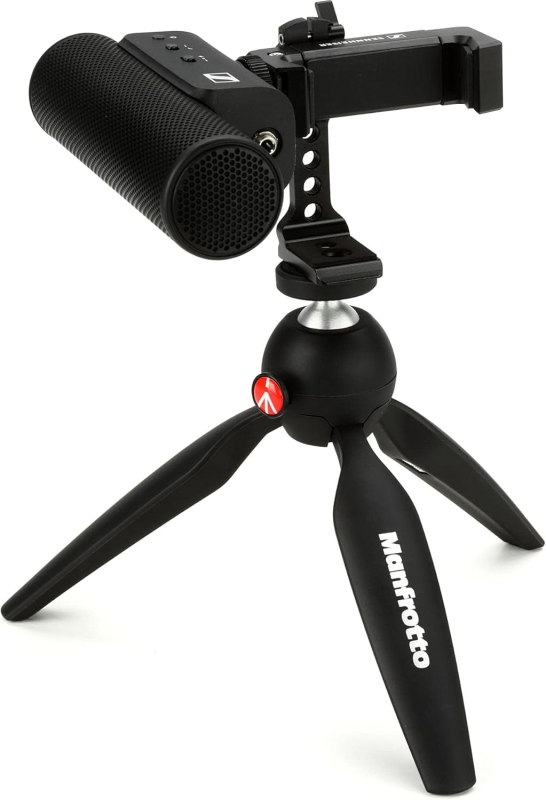
The Sennheiser MKE 400 is a directional on-camera shotgun microphone bundled with a smartphone clamp and a compact Manfrotto PIXI tripod. Its directional pickup pattern captures sound from wherever it's aimed while rejecting off-axis room noise, and an integrated windscreen and shock mount keep recordings clean from wind and handling vibration. In the lab, it serves as a portable audio-capture tool for documenting demos, process videos, interviews, and presentations, mounting to either a camera or a phone for high-quality directional sound on the move.
Specs * Form factor: On-camera shotgun microphone + mobile kit (smartphone clamp + Manfrotto PIXI tripod) * Pickup pattern: Directional / supercardioid (shotgun) * Power: 2× AAA batteries (included); ~100 hour runtime * Auto on/off: Powers on when connected, off when unplugged * Connectivity: 3.5 mm locking TRS (camera) and TRRS (smartphone) coiled cables * Monitoring: 3.5 mm headphone output for live monitoring * Controls: 3-step gain adjustment + low-cut wind filter * Built-in: Integrated windscreen and shock mount * Mounting: Cold-shoe mount; phone clamp; mini tripod (portrait/landscape) * Model: Sennheiser 509257
Hazards
Tip-over / drops — the PIXI tripod and clamp can topple if a phone or camera is unbalanced on it; a falling rig damages gear (and toes).
Cable trip — the coiled 3.5 mm lead is a snag point on a desk or floor setup.
Hearing — if monitoring through headphones, high input gain can produce sudden loud levels.
Battery leakage — AAAs left in for long-term storage can corrode and ruin the battery compartment.
Delicate capsule — the mic element and shock mount are easily damaged by moisture, impact, or poking.
Things to Avoid
- Liquids, rain, or wiping the capsule directly
- Touching or poking the mic element
- Over-tightening the clamp or forcing the tripod ball head
- Yanking the cable or storing it tightly kinked at the connector
- Leaving batteries installed during long storage; leaving the rig in a hot car
- Using the wrong cable type (TRS vs TRRS) and assuming the mic is broken
Safety Checks
- Fresh AAA batteries installed; check the battery indicator
- Correct cable for the device — TRS for cameras, TRRS for smartphones
- Inspect the cable and connectors for fraying or bent contacts
- Tripod legs locked, ball head tightened, phone clamp seated firmly
- Cold-shoe mount fully seated and locked; windscreen on if needed
Operational Checks
- Confirm it powers on (status LED) when connected
- Set gain and low-cut to suit the source
- Do a short test recording and monitor through headphones before the real take
- Aim the mic at the subject — it's directional, so off-axis aim loses the source
- Verify input levels aren't clipping
Cleanup
- Disconnect to power down (no battery draw when unplugged)
- Remove the AAA batteries for long-term storage
- Wipe the body with a dry soft cloth; clean or replace the windscreen
- Loosely coil the cable, collapse the tripod, return everything to the case/station
- Log usage and return to its storage spot